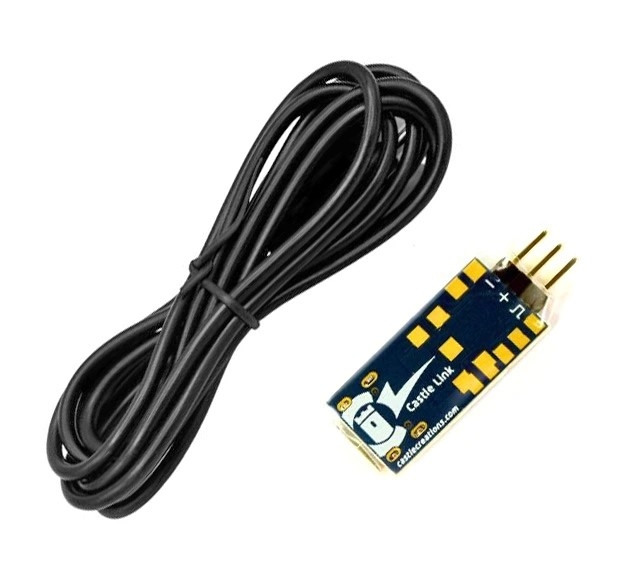
Castle CC011-0173-00 - Castle Link V4 USB-Programmierkit für die Cobra-Serie
Castle Link V4 ist unser neuer 32-Bit-USB-Adapter.
- HINWEIS: Nur kompatibel mit Reglern der Cobra-Serie.
- Für alle anderen Regler benötigen Sie den Castle Link V3 USB-Adapter.
Programmieren Sie Ihren Cobra 8 Regler mit dem Castle Link V4 USB-Programmierkit auf Ihrem Windows®-PC (Version 10 oder höher).
Einrichtung programmierbarer Optionen per Mausklick
Sehen Sie sich Ihre aktuellen Programmeinstellungen an.
Laden Sie die Onboard-Datenprotokolle des ESC herunter und sehen Sie sie sich an.
Aktualisieren Sie die Regler mit der neuen Firmware (falls verfügbar).
Einrichtungsanleitung:
- Laden Sie die Castle Link 2 Software aus unserem Downloadbereich herunter .
- Führen Sie das Castle Link 2-Installationsprogramm aus und folgen Sie den Anweisungen auf dem Bildschirm.
- Schließen Sie den Castle Link V4-Adapter an das mitgelieferte USB-Typ-C-Kabel an.
- Verbinden Sie das Empfängerkabel des Reglers mit den Kontakten des Castle Link-Adapters; das braune Kabel wird an den mit „GND“ oder „-“ gekennzeichneten Pin angeschlossen.
Hinweis: Die Castle Link Classic-Software ist nicht mit dem Castle Link V4-Adapter und dem Cobra 8-Regler kompatibel.
Das Paket beinhaltet:
- Castle Link V4 Adapter
- USB-Kabel Typ C
- Abziehbilderbogen für Burgen
- Weitere Informationen zur Castle Link-Software finden Sie auf der Downloadseite .
Castle Link enthält einen proprietären Schnittstellenadapter und ein Standard-USB-Kabel mit Typ-C-Anschluss.
Sie benötigen lediglich einen freien USB-A-Anschluss an Ihrem Windows 10-PC.
Systemvoraussetzungen: Castle Link 2 ist mit Windows 10 oder höher kompatibel.
Castle CC011-0173-00 - Castle Link V4 USB Programming Kit for Cobra Series
Castle Link V4 is our new 32-bit based USB adapter.
- NOTE: Compatible with Cobra series ESCs only.
- For all other ESCs, please purchase the Castle Link V3 USB adapter.
Program your Cobra 8 ESC on your Windows® PC (10 or higher) with the Castle Link V4 USB programming kit.
Set up of programmable options with point and click ease
View your current program settings
Download and view the ESC's onboard data logs
Update ESCs with new firmware (if available)
Set-up instructions:
- Download the Castle Link 2 software from our Downloads area.
- Run the Castle Link 2 installer and follow on-screen prompts.
- Plug the Castle Link V4 adapter into the provided Type-C USB cable.
- Connect the ESC's receiver lead to the Castle Link adapters prongs; the brown wire connects to the pin marked "GND" or "-".
- Note: Castle Link Classic program is not compatible with the Castle Link V4 adapter and Cobra 8 ESC.
Package includes:
- Castle Link V4 adapter
- Type C USB cable
- Castle Decal sheet
- For more information about the Castle Link software, visit the Downloads page.
Castle Link contains a proprietary interface adapter and standard USB cable with Type-C port.
All you need is an available Type-A USB port on your Windows 10 PC.
System Requirements: Castle Link 2 is compatible with Windows 10 or higher.